Description
Shorts reward speed and consistency. Most creators stall before they start. You open the app, hunt for a hook, rewrite the same caption, and the day ends with one post.
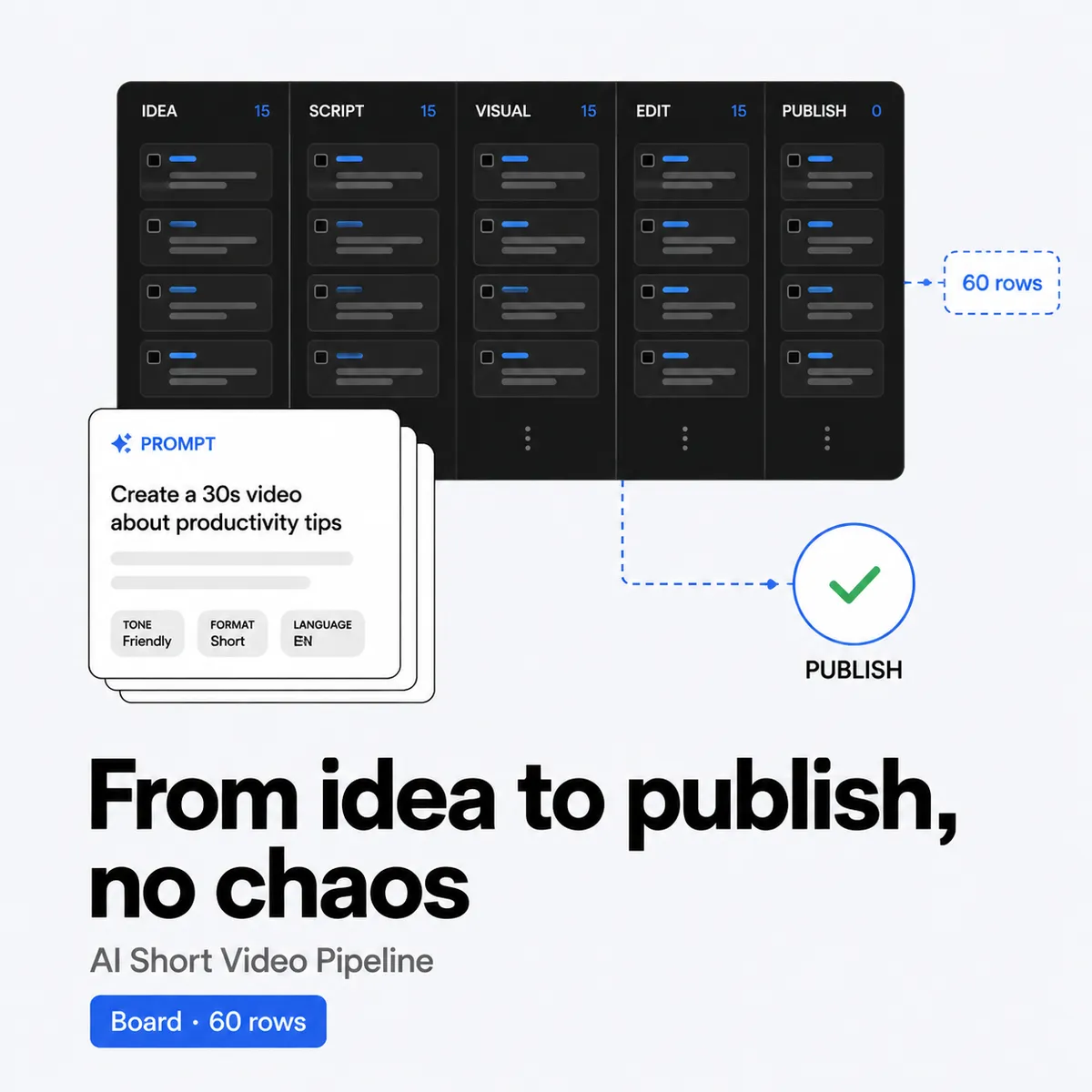
This kit puts the whole pipeline in one file. You get 60 shorts mapped on one board, 30 prompts you can copy into any AI tool, and a publish checklist so nothing ships half done.
Price: $19 once. No subscription. No upsell. You get the file right after payment and you can re-download it from your account. 30-day refund. If it does not save you time, email [email protected] within 30 days and you get your money back. See refund policy.
What you get
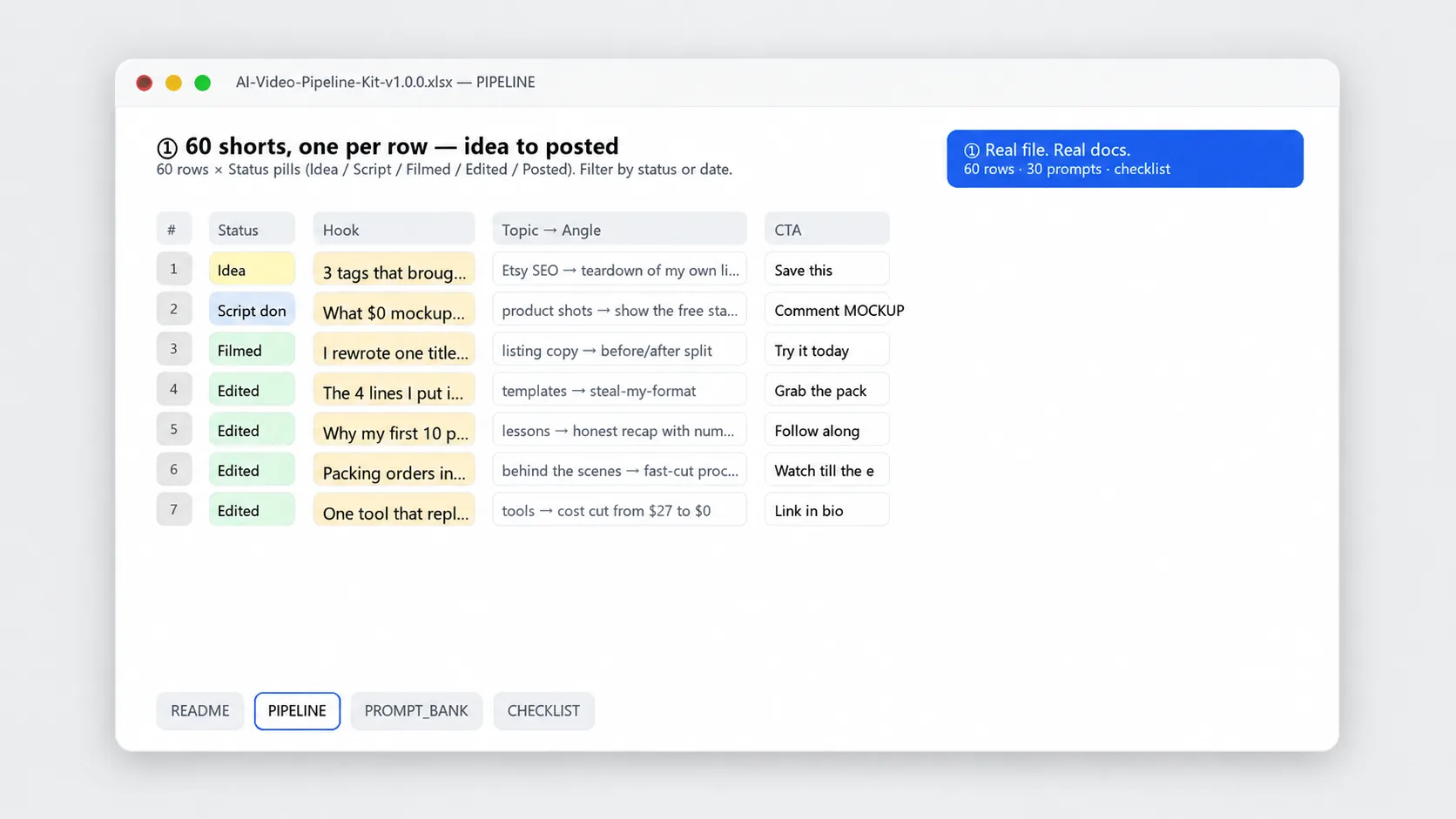
- 60 rows, one per short. Map hook, topic, angle and CTA side by side. Sort by status or date and filter to what is ready to shoot.
- 30 prompts for AI drafting. Copy and paste for scripts, hooks, titles, descriptions and caption variants. They work in ChatGPT, Claude or any text model. Edit the bracketed part and run.
- Publish checklist included. Check title, hook, cover frame, caption, tags, link and sound before you upload. One sheet with boxes you can click in Sheets or print.
- Shot and status columns. Track idea, script done, filmed, edited and scheduled. You can see at a glance what to do next instead of scrolling through notes.
- One file, no extra app. Single .xlsx you can use offline. It works in Excel and Google Sheets with no macros and no installs.
Who it is for
Built for solo creators, small teams and shop owners who want to post short video often without starting from zero each time.
- You post on TikTok, Reels or YouTube Shorts and need fresh ideas that do not repeat every week
- You already draft with AI but want prompts written for short form, not long blog posts
- You want one place to track 60 ideas from hook to publish, not five scattered docs
Who it is not for: If you want a tool that auto generates and posts video for you, or a promise of views and followers, this is not it. This is a board, prompts and a checklist. You still shoot and post. It just removes the planning stall.
How to use (1 minute)
- Pick 10 rows. Open the board and skim the 60 hooks and topics. Mark 10 you can film this week and change the angle column to fit your niche.
- Draft with prompts. Open the Prompt Bank, copy a script or title prompt, paste it into your AI tool and fill the brackets with your topic. Keep the output short and edit it in your voice.
- Move the row. Update status from idea to script done to filmed to edited. Add shoot date and publish date, then filter by status to see what is ready.
- Run the checklist and post. Before you upload, go down the Publish Checklist for title, hook, cover, caption, tags and sound. Check each box, then post. Duplicate the file for the next batch.
Tip: Do not try to fill all 60 at once. Fill 10, film them, then come back. Momentum beats a perfect board.
Limits
This is a planning kit. It does not film, edit or post for you, and it cannot promise reach.
- It does not generate video automatically. The prompts give you text you can use. You still record, edit and upload in your own app.
- It does not guarantee views, followers or sales. Results depend on your topic, delivery and posting rhythm. The kit helps you show up more often with clearer hooks.
- AI outputs vary. Read what the model gives you and fix the flat lines. The prompts aim for short, spoken style, but you decide what to keep.
- This is not legal or platform advice. Check each platform for current rules on tags, music and disclosure if you promote a product.
File spec
- Format: .xlsx, 3 parts in one file: 60 row pipeline board, 30 prompts bank, publish checklist. About 7 KB. All cells unlocked.
- Tools: Excel, Google Sheets, Numbers, WPS. No macros, no scripts, no external links. Upload to Google Drive to open in Sheets. Sorting and filters work the same.
- Delivery: Instant delivery via email and My Account. Link on the order page and in your receipt email. Log in anytime to re-download from My Account > Downloads.
- License: For one buyer or one small team sharing one product. Use it for your own shorts. Do not resell or share the file itself.
Changelog
v1.0.0, 2026-08-21 Initial release. 60 row pipeline board, 30 AI prompts for script, hook, title and caption, and publish checklist. Cleaned for Excel and Google Sheets and checked all filters.
FAQ
Does this create videos for me?
No. It plans and drafts. The board holds 60 ideas, the prompts help you write scripts and titles fast, and the checklist catches misses before you post. You film and edit where you normally do.
Does it work in Google Sheets and do I need a paid AI tool?
Yes to Sheets. Upload the .xlsx to Google Drive and open with Google Sheets. No paid AI needed. Paste the prompts into any chat model you already use, free tier is fine. The file works offline too.
What if I already have ideas or I only need 30 shorts?
Use what you need. Overwrite rows with your own topics, hide the rest, or duplicate the file for the next month. The checklist works whether you post 5 or 60. The board is yours to edit.
From the maker
I run Yixing Store solo. I made this because I kept rewriting the same hook list and losing ideas in random notes. One board with 60 rows plus prompts I can actually paste felt calmer. If a row does not fit your niche, change it. The value is in shipping on time, not in keeping my wording.
Questions after you buy. Email [email protected]. A real person replies within 24 hours. 30-day refund, same policy as the store refund page. Re-download anytime from My Account > Downloads.
Instant delivery via email + My Account
Link on the order page and in your receipt email right after payment. No waiting.
Re-download anytime
Log in to My Account > Downloads to get the latest file whenever you need it.
30-day refund
Not a fit. Email [email protected] within 30 days and we refund to your original method. See refund policy.
Reviews
There are no reviews yet.