Description
You add one skill to fix prompts. Then another to handle files. A week later you have ten skills scattered across Codex, Claude and local folders and you cannot remember which version you actually use.
This registry puts them in one place. One file you can edit where you list every skill, note what it can touch, sort memory by type and run a quick audit before you ship. No sync, no account, no background service. Just rows you can filter and keep current.
Price: $19 once. No subscription. No upsell. Instant download after payment, with your link on the order page and in your receipt email. Re-download anytime from My Account > Downloads. 30-day refund. If it does not help you stay organized, email [email protected] within 30 days and you get your money back.
What you get
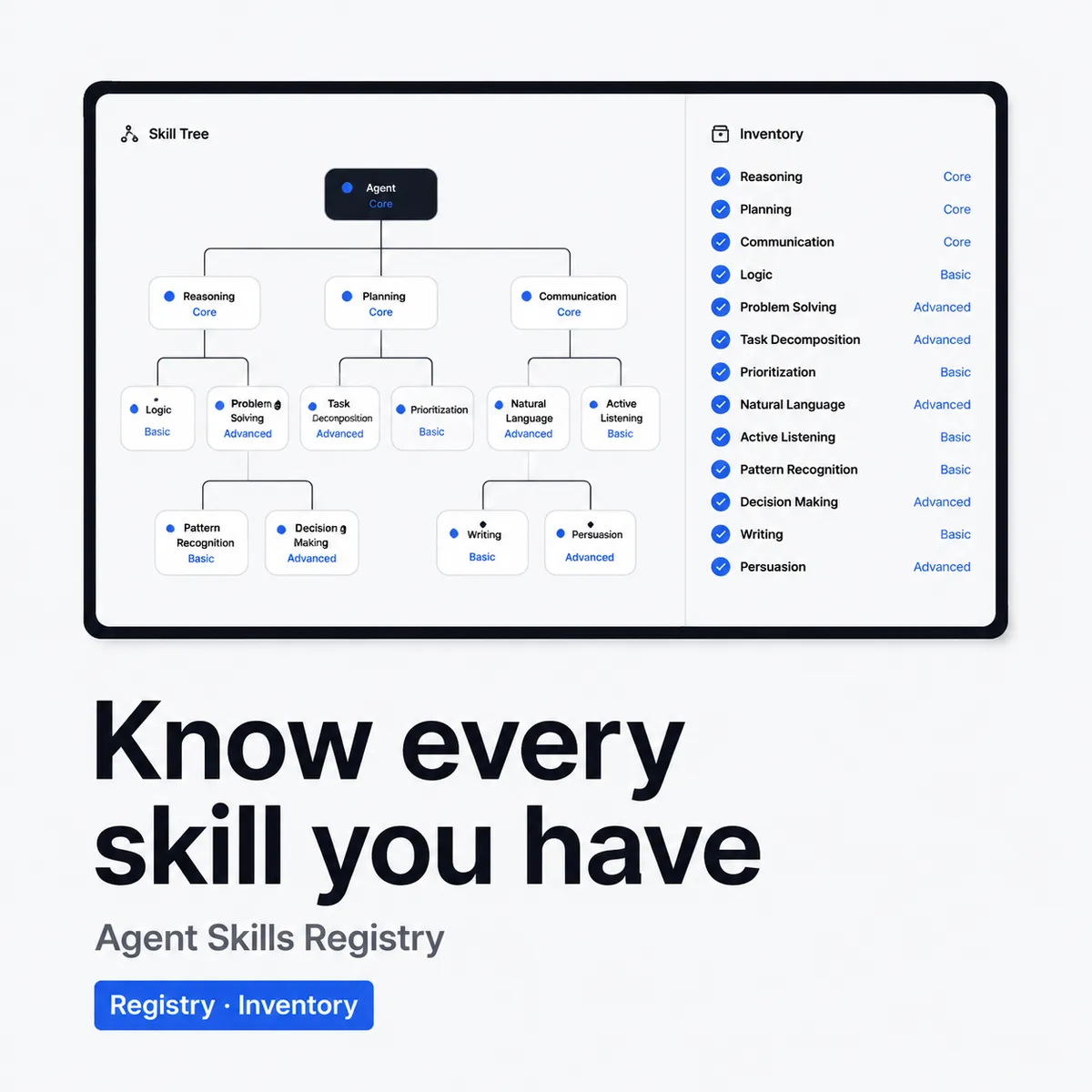
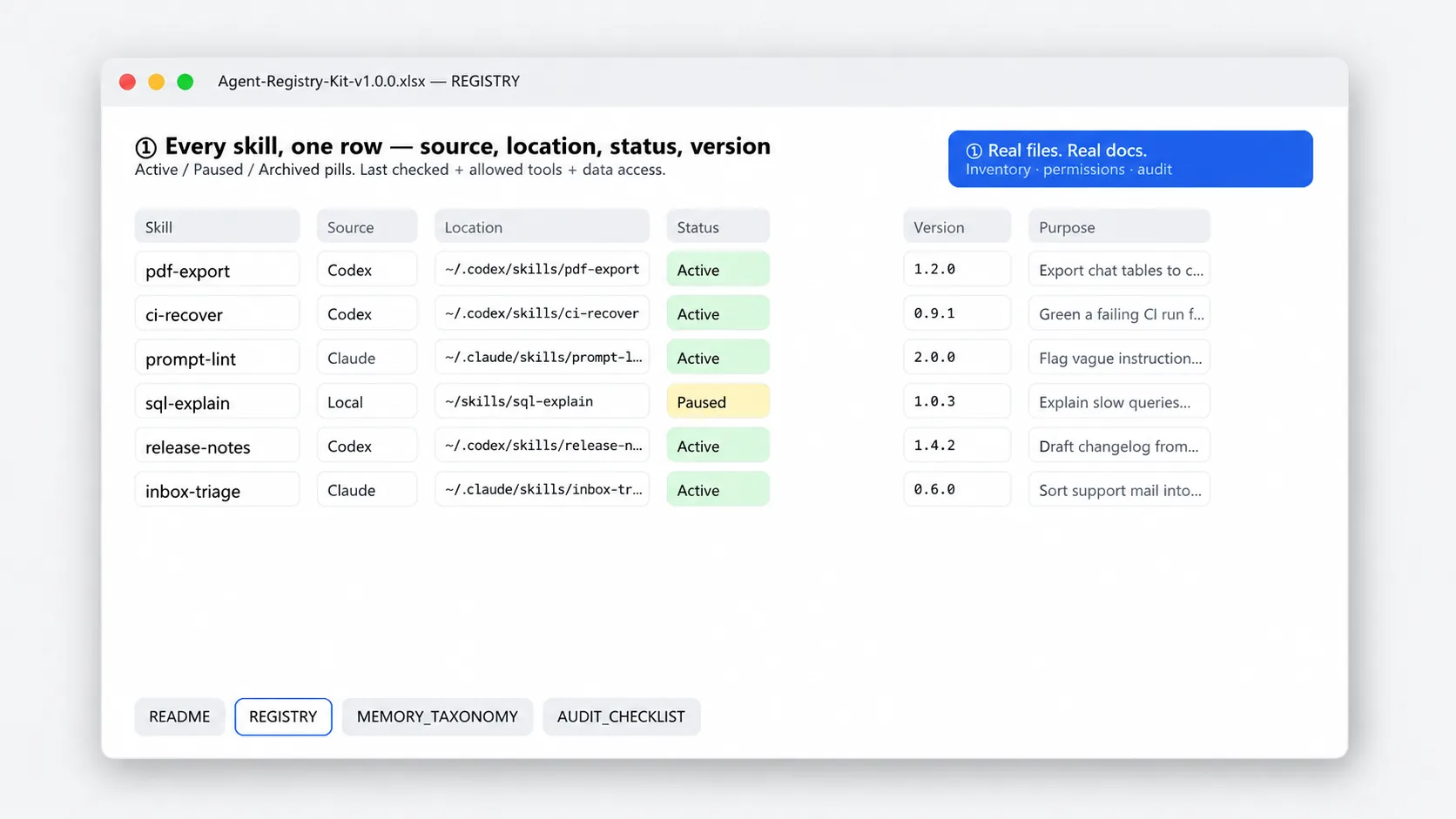
- Skills inventory. Name, source, install location, purpose, owner and status for every skill. See at a glance what you have, where it lives and what is active or paused.
- Version and permission tracker. Current version, last checked date, allowed tools and data access, plus update notes. Filter by needs review to catch stale installs and overly broad permissions.
- Memory taxonomy sheet. Categories for short term context, project facts, user preferences and secrets. Each row notes what to keep, how long to keep it and where it lives, so you do not mix temporary notes with long term memory.
- Audit checklist on one page. Check for duplication, version drift, broad permissions, missing docs and orphaned memory. Click the boxes in Sheets or print it. Run it before you add or change a skill.
- Example rows and plain notes. Prefilled examples show how to fill each sheet. Notes on every column explain the field in plain English so you can log your first skill in minutes.
Who it is for
Built for solo builders and small teams who use Codex, Claude or Cursor with multiple skills and want a simple way to track them without a new app.
- You have more than a few skills and lose track of versions, install locations and what each one can access
- You want a clear taxonomy for memory so the agent keeps project facts and forgets temporary chatter
- You want a repeatable audit you can run yourself before you push a change, not another auto scanner to manage
Who it is not for: If you want auto discovery, live sync with your agent, or a tool that fixes permissions for you, this is not it. This is an inventory and checklist you maintain by hand. You still install, update and review the skills yourself.
How to use it in a minute
- List what you have. Open Inventory. Add each skill with name, source, install path, purpose and status. Mark active, paused or removed and add the version you run now.
- Tag versions and permissions. Move to Versions and Permissions. For each skill note current version, last checked date and what tools or data it can access. Flag any row with broad access for review.
- Sort your memory. Open Memory Taxonomy. Place each memory type in its category and set retention. For example, project facts stay, session notes expire. Note where each type is stored.
- Run the audit before you change anything. Open the Checklist and work top to bottom. Check for duplicates, drift, broad permissions and missing docs. Keep the file as your log and duplicate it for the next review.
Tip: Do the first pass fast and fix the two worst permissions. A full review takes about fifteen minutes. A weekly quick check takes two.
Limits and what this will not do
This is a manual register and checklist, not a live monitor. It helps you see and decide. It does not decide for you.
- There is no auto discovery and no sync. You add skills and memory types by hand so the list stays true to what you actually use.
- It is not a permissions manager and not a security tool. It records what access you allow. It does not change settings in Codex or Claude and it does not scan your system.
- No guarantee of compatibility. Skills change with the upstream project and with your model. The tracker helps you note drift, but you still test updates yourself.
- It does not back up your skills. Keep the actual skill files in your repo or drive. This file is the index, not the storage.
File and delivery
- Format: .xlsx, 4 sheets covering Skills Inventory, Versions and Permissions, Memory Taxonomy and Audit Checklist. About 27 KB. All cells unlocked. Formulas visible for filters and counts.
- Tools: Excel, Google Sheets, Numbers, WPS. No macros, no scripts, no external links. Upload to Google Drive to open in Sheets. Filters and checkboxes work the same.
- Delivery: Instant download after payment. Link on the order page and in your receipt email. Log in anytime to re-download from My Account > Downloads.
- License: For one buyer or one small team sharing one setup. Use it for your own inventory and audits. Do not resell or share the file itself.
Which skills to build first
If you are deciding what belongs in your skills folder at all, I wrote a free guide on the method: Claude Code skills for solo developers. It covers the three scopes (personal, project, task), the four skills worth writing first, and how to audit a folder that has already grown messy.
Changelog
v1.0.0, 2026-08-21 Initial release. Skills inventory with source and status, versions and permissions tracker, memory taxonomy with retention notes, and audit checklist with example rows. Unlocked sheets ready for Excel and Google Sheets.
FAQ
Does this sync automatically with Codex, Claude or Cursor?
No. You add and update rows by hand. That keeps the registry true to what you actually have installed. Check the last checked date weekly and update versions when you pull new skills. No background service watches your folders.
Will it work if I use more than one agent tool?
Yes. The inventory has a column for where each skill is installed, so you can log Codex skills, Claude skills and local project skills in one place. The taxonomy and checklist are tool agnostic. Use the same categories no matter which agent you run.
What is the refund policy?
30 days. If you open the file and it is not a fit, email [email protected] within 30 days of purchase with your order number. We refund to your original payment method and confirm within 1 business day. Same policy as the store refund page at /refund_returns/.
From the maker
I run Yixing Store solo. I built this kit because my own skills folder turned into a junk drawer. A quick list and a short checklist saved me from shipping a stale skill with broad permissions. If a category does not fit how you work, change it. The file is yours to edit and the taxonomy is there to be changed.
Questions after you buy. Email [email protected]. A real person replies within 24 hours. 30-day refund, same policy as the store refund page.
Sold directly by the developer
No middlemen. You buy from the person who built it and you get support from the same person.
30-day refund
Not what you expected? Email within 30 days and we put it back to your original payment method. See refund policy.
Verified-buyer reviews only
Reviews come only from buyers and are never edited. We do not publish fake reviews.

Reviews
There are no reviews yet.